 Auto Image Batcher
Automatic image converter for Mac
Folders that convert themselves.
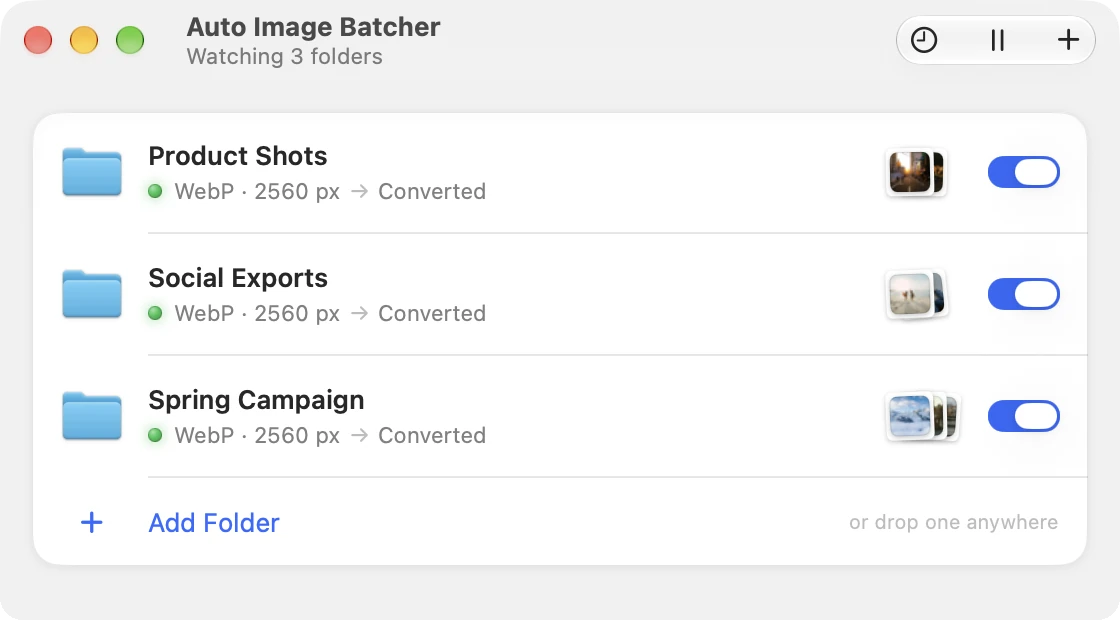
Watch any folder, even one your team shares. Every image that lands in it comes out as WebP, AVIF or JPEG, resized and renamed.

Mac · macOS 15 or later
SS26_Paris_Quai_0147.webp
JPG → WebP · 8.9 MB → 573 KB−94%
For teams
Built for shared folders.
Point it at a folder in Dropbox, Google Drive, OneDrive, iCloud Drive or on a server. Whatever anyone drops in comes out ready for the web, for the whole team.
Waits for uploads
A file is converted only once it has stopped changing, so images still syncing are left alone.
Never converts twice
It remembers every file it handled. The Converted folder itself is never watched.
Writes in one go
Each converted file appears complete, so the sync app never uploads half an image.
How it works
1.Drop images in.
Anyone on the team, from any Mac. Each file is left alone until it has finished syncing.


Recipes
Pick a recipe. That's it.
Six presets cover most jobs. Try them on a real shoot: these are the actual results.
Convert to
› Customize
Save in
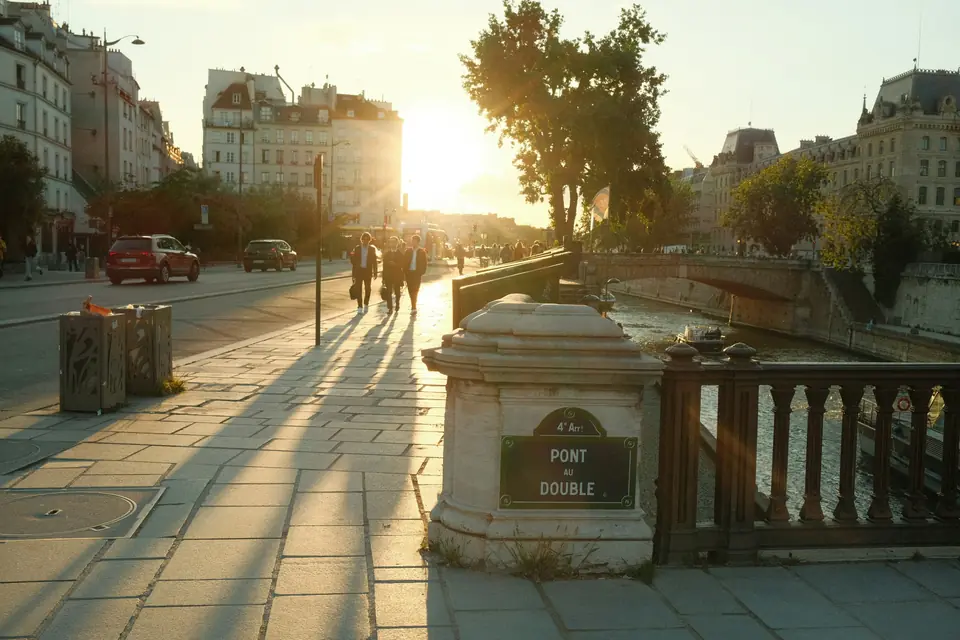
- Original · JPEG
- 8.9 MB
- 6240 × 4160
- Converted · WebP
- 573 KB−94%
- 2560 × 1707
Small files for the web. The whole shoot, 13 photos: 45.4 MB → 4.2 MB.
Formats
Every format clients ask for.
In goes almost anything, from RAW to PDF. Out comes what the job needs, at the size and name you set.
Converts to
- WebPSmall files for the web
- AVIFSmallest files, modern browsers
- JPEGWorks everywhere
- PNGLossless, keeps transparency
- HEICSmall files for Apple devices
- TIFFLossless, for print and archiving
Reads
JPEGPNGHEICWebPAVIFTIFFGIFRAWPSDSVGPDFand more
Any size
Longest edge, width, height, a percentage, or an exact size: fit, fill and crop, or stretch. Small images are never enlarged unless you allow it.
Any name
Build names from placeholders. Try it:
→ SS26_Dunes_0231-2560w.webp
Details
Set it up once. Forget it.
It runs quietly in the menu bar and only speaks up when a batch is done.
In the menu bar
Every folder's status and Pause All, one click away.
Done, in a note
“Converted 24 images · saved 18.2 MB” when a batch is finished.
Activity
Every conversion, searchable, with its size before and after.
Strip location
Remove location and camera info. Colour profile and orientation stay.
Tidy originals
Keep them, or move them to the Trash once they're converted.
Subfolders too
Include the folders inside a folder, as deep as they go.
Name clashes
If a file already exists: skip it, replace it or keep both.
Catches up
After sleep or a restart, it converts what arrived meanwhile.
Private
Client work stays on your Mac.
Under NDA? Nothing leaves your Mac through the app.
No internet access
The app can't go online. Every image is converted on your Mac.
Only your folders
It sees the folders you give it, and nothing else on your Mac.
No account
No sign-up, no analytics, no tracking.
Get Auto Image Batcher
Drop it in. It's done.
No more exporting images one by one.
Mac · macOS 15 or later